
Money WidgetThe lightweight expense tracker where the widget is the hero
How much did I spend this month? Just glance at your home screen.
No complex charts, no categories, no budgets to maintain. Just this month's income, expense, and balance — shown beautifully and instantly in a home-screen widget.
Sound familiar?
Opening a finance app just to check this month's spending feels like a chore
You customized your home screen, but finance widgets force white text that disappears
Full-blown budget apps with categories and budgets get abandoned fast
Money Widget solves all of it ✨
No clutter. All about the widget.
Logging in one second, checking in zero
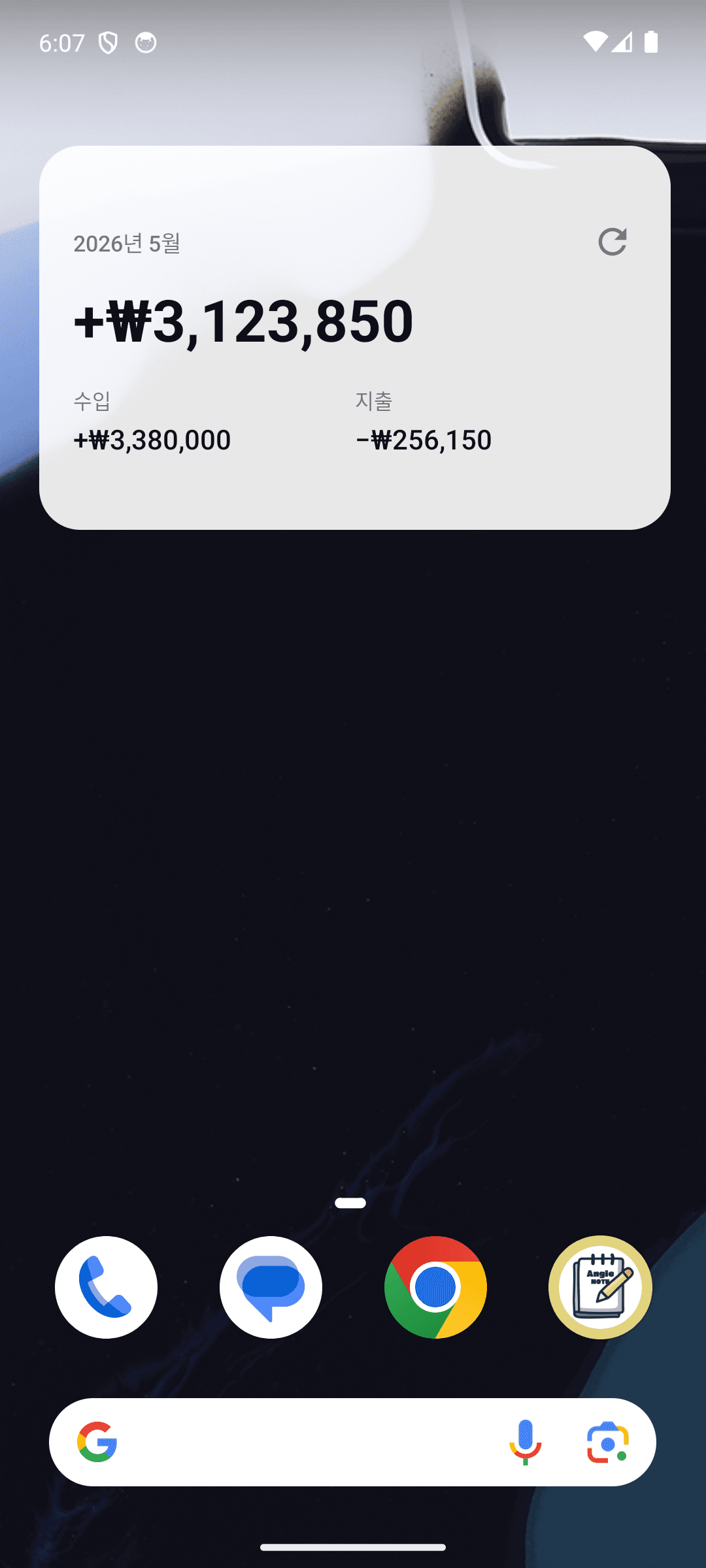
Balance at a glance
A big monthly balance with +/- sign and color, plus income and expense totals — right on your home screen. No app-opening required.
Fully customizable colors
Pick any text color, any background color, and slide opacity from 0 to 100%. No matter what wallpaper you use, your balance stays readable.
Four ready-made presets
Clean Light, Dark, Glass, and Contrast — applied in one tap, with a live preview while you tweak.
Three taps to log
Tap +, type the amount, save. Toggle income/expense, add a memo, change the date — and the widget updates the moment you save.
Multi-currency
KRW (₩), USD ($), EUR (€), JPY (¥), GBP (£), CNY (¥) and more. Change the currency in Settings and the app and widget follow.
Light and private
No account, no sign-in, no cloud sync. Your data stays 100% on your device — and the widget itself is ad-free.
See it in action
From logging to widget styling — just a few taps
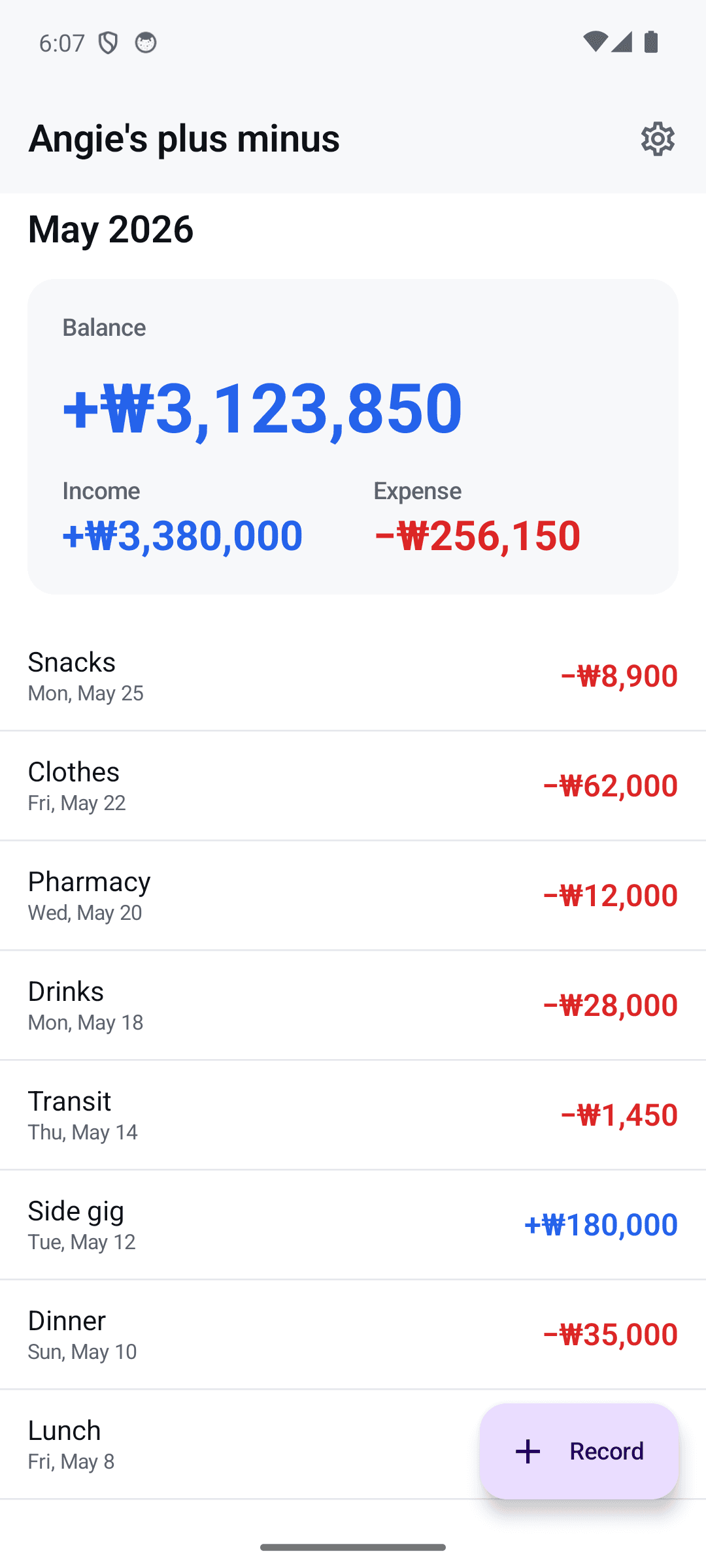
Income, expense, and balance at a glance
Your balance right on the home screen
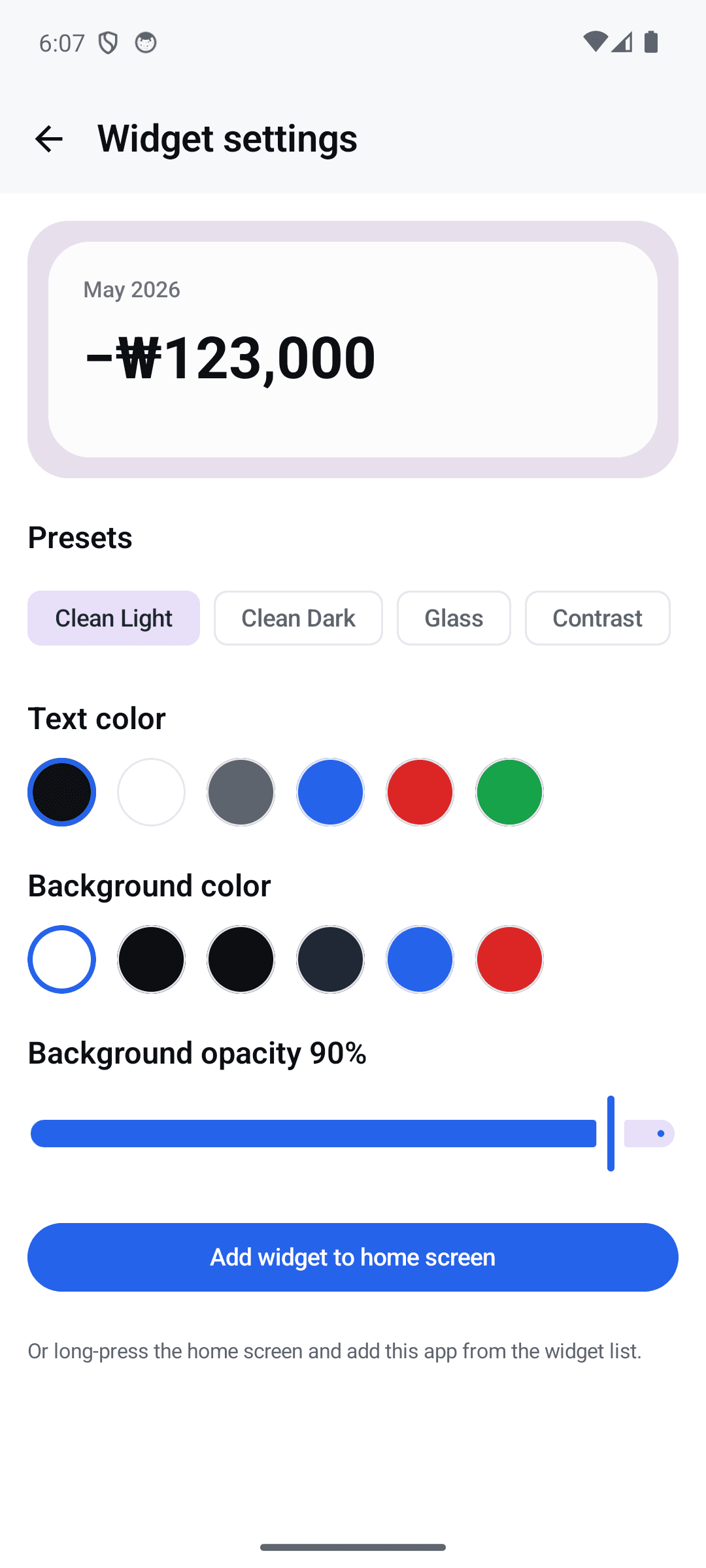
Tune text, background, and opacity freely
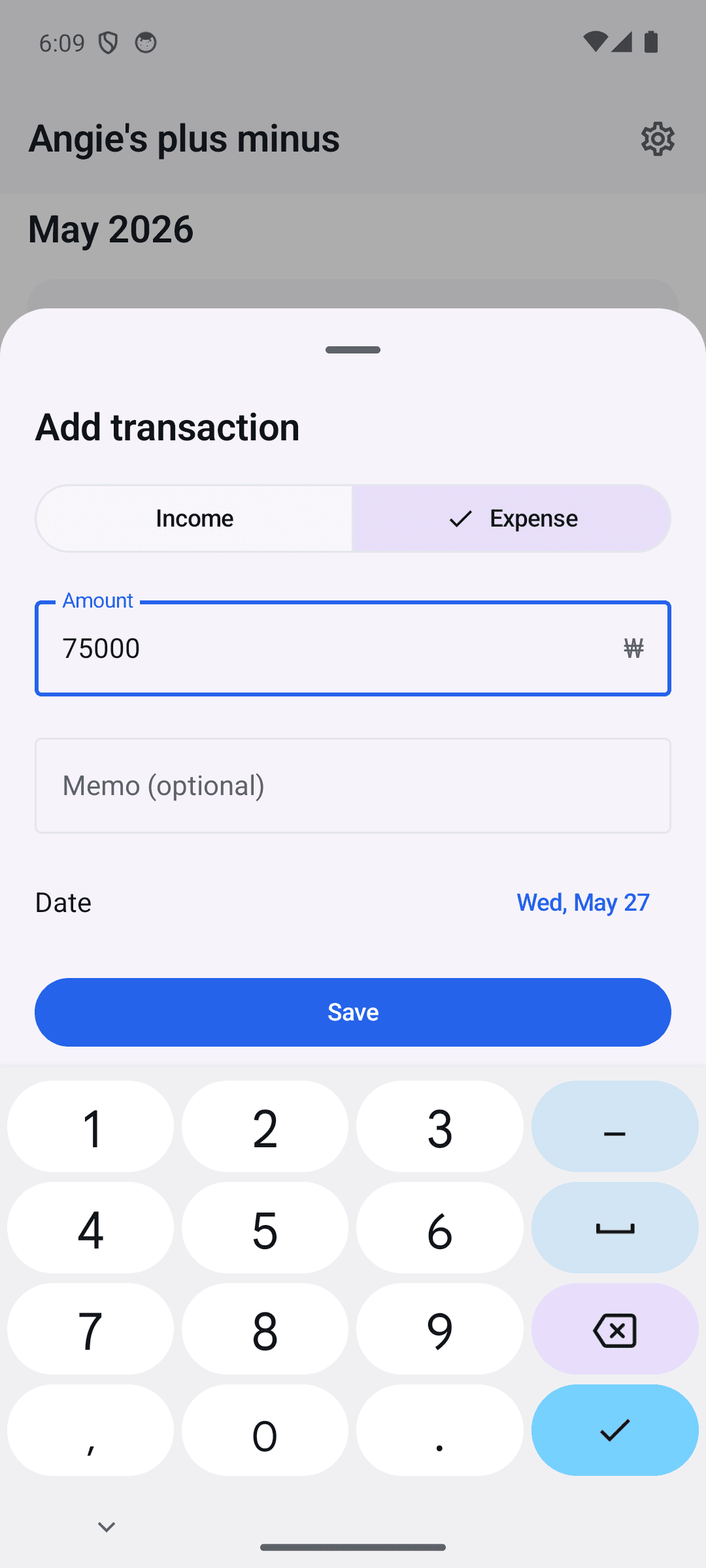
Three taps and the entry is saved
Three steps is all it takes
Type the amount
Tap +, enter the amount, save. Memo and date are optional.
Style your widget
Pick a preset or tune text color, background, and opacity yourself.
Glance, and you know
The widget refreshes the moment you save. Checking your balance now takes zero seconds.
Frequently asked questions
How do I add the widget?
Long-press an empty spot on your home screen, open the widget menu, and place the Money Widget. Tapping the widget opens the app so you can log immediately.
Is it free? Are there ads?
Yes, everything is free. There's a single small banner ad inside the app — the widget itself is completely ad-free.
Is my finance data safe?
There's no server and no cloud sync. No account, no sign-in — all your data stays 100% on your device.
Which currencies are supported?
KRW (₩), USD ($), EUR (€), JPY (¥), GBP (£), CNY (¥) and more. Change it in Settings and both the app and the widget follow. (Display-only — amounts are not converted with live FX rates.)
Does it support dark mode?
Yes. The app follows your system light/dark theme and you can switch it in Settings. For the widget, use the Dark preset or customize colors to match any dark wallpaper.
Will the widget stay readable on any wallpaper?
Yes — that's the whole point. You can freely change text color, background color, and opacity, so your balance stays clearly visible no matter the wallpaper.
Check your balance in zero seconds
Download free and see this month's balance right on your home screen.